Recipes
A recipe transforms one or more input datasets into an output dataset. Honeyframe's recipe model splits transforms into two layers:
- Visual recipes — a guided UI that captures the operator's intent (filter rows, join two tables, group and aggregate). The visual recipe compiles to dbt SQL behind the scenes.
- Code recipes — direct SQL or Python that the user writes. The platform doesn't try to interpret the code; it just runs it.
Both produce dbt models, so the lineage graph and dbt's incremental-build machinery work identically across recipe types.
On native-engine orgs (see Flow → Build engines) the same recipes run without dbt: visual and SQL recipes are stored as target='sql' with Jinja-free inline SQL and materialized directly. Recipe authoring is identical across both engines.
Recipe types
The platform recognizes the following types. The first six are visual; the rest are code/standalone.
| Type | Layer | What it does |
|---|---|---|
prepare | Visual | Column-level operations: rename, drop, cast, derive (formula), filter, window, plus a wide processor catalog (see Prepare processors). The most common recipe — typically the first step on a raw dataset. |
join | Visual | Join two datasets on one or more key pairs. Supports inner, left, right, outer. |
fuzzy_join | Visual | Join on approximate equality — trigram (pg_trgm), levenshtein (fuzzystrmatch), or exact_normalized. Refuses a keyless predicate and warns about row-explosion. |
group_by | Visual | Group by columns and aggregate (count, sum, avg, min, max, median). |
pivot | Visual | Long → wide via conditional aggregation. Spread values typed manually or auto-discovered via Fetch from data. |
top_n | Visual | Per-group top-K with ROW_NUMBER(). |
window | Visual | Running totals / rank / lag-lead via a single window function. |
sample | Visual | Row subset for fast development — first (LIMIT) or random (ORDER BY RANDOM()). |
distinct | Visual | Deduplicate rows — whole-row or DISTINCT ON (cols) with an optional deterministic tiebreaker. |
generate_statistics | Visual | Column profiling — one row per column (fill rate, null/distinct counts, min/max). |
stack | Visual | UNION two or more datasets with the same shape. |
upsert | Visual | Merge rows into an existing table by key (native MERGE) instead of a full replace. |
geo_join | Visual | Join two datasets by geographic proximity (Haversine distance — no PostGIS dependency). |
download | Code | Fetch a file over HTTP into a managed folder. The sink is SSRF-guarded (no private/loopback/metadata targets). |
sql | Code | Free-form SQL. The user writes a model body; the platform wraps it with the appropriate config. |
sql_script | Code | Multi-statement SQL script run verbatim — see SQL Script recipe. |
export | Code | Terminal sink — writes a dataset to a file (csv/parquet/xlsx) in a managed folder. |
python | Code | Python script with access to a dataiku-style API for reading inputs and writing outputs. Standalone — does not become a dbt model. |
cdc | Standalone | Change-data-capture from a source connector. Watermarks tracked in pipeline_runs. |
sync | Standalone | One-way sync from one connector to another. Used for ingestion to the Lakehouse. |
extract_document | Standalone | OCR / extraction from PDF or image inputs into structured rows. |
parse_documents | Agent | Transcribe a folder of PDFs/scans into a {file, extracted_text, parsed_json} table, with an optional LLM key-value parse. |
embed | Agent | Embed text from a dataset into a vector store. |
llm_enrich | Agent | Run an LLM prompt over each row of a dataset and write the response back. |
classify_text | Agent | Map a text column to a category from a fixed label set. |
summarize_text | Agent | Summarize a text column to a word budget. |
agent | Agent | Multi-step agent run with tool calls. |
rag_search | Agent | Retrieve from a knowledge base and answer a query. |
The agent recipe types (embed, llm_enrich, classify_text, summarize_text, agent, rag_search) form the AI surface. They share the same plumbing as visual/code recipes — outputs become datasets — but their inputs include a knowledge base or model selector instead of just upstream datasets.
Anatomy of a visual recipe
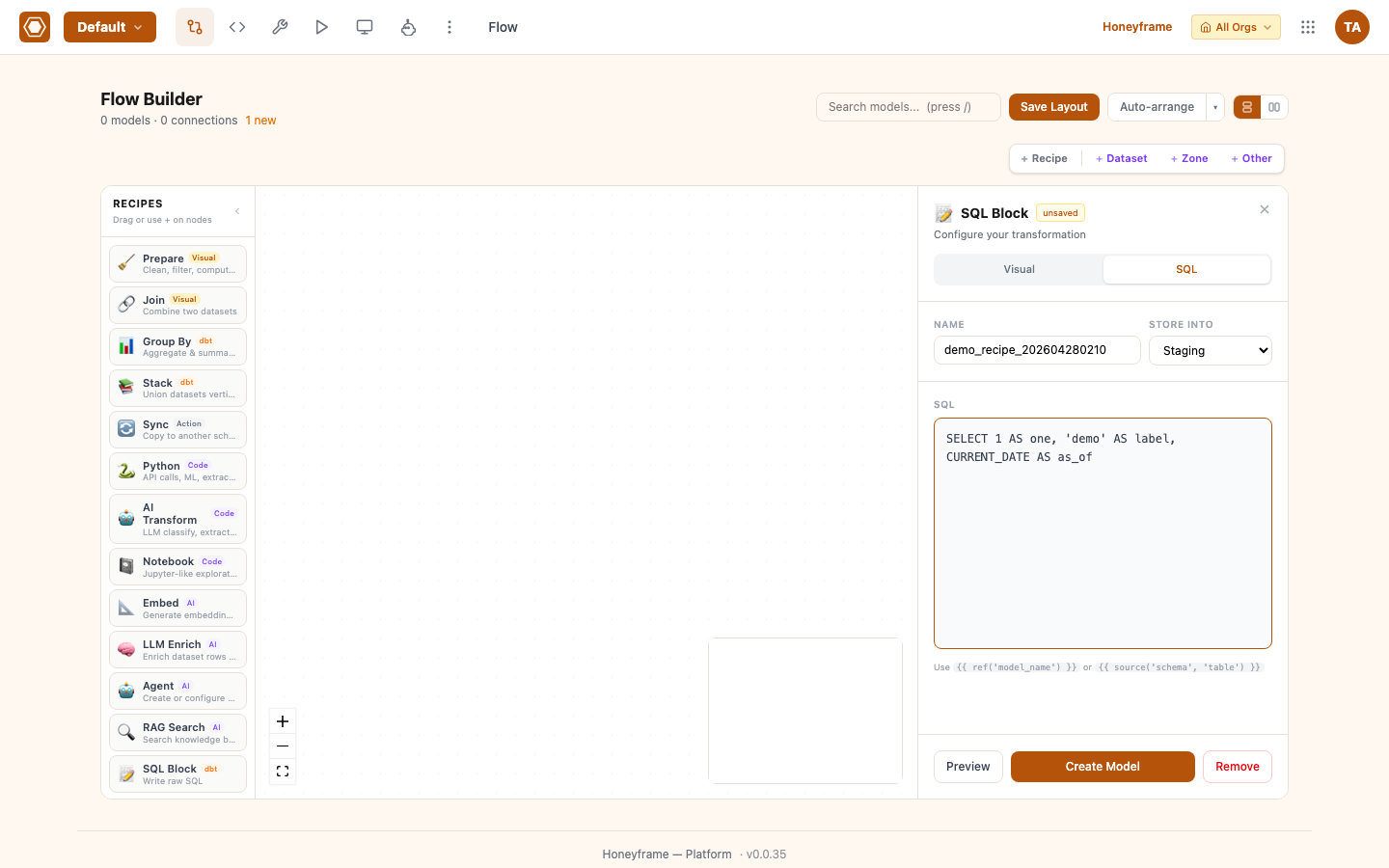
Recipes are authored on the Flow canvas. Drag a block from the palette and Honeyframe opens a sidebar for the new block. SQL mode shows a textarea where you write a self-contained query or reference upstream datasets via {{ ref('upstream_model') }}:
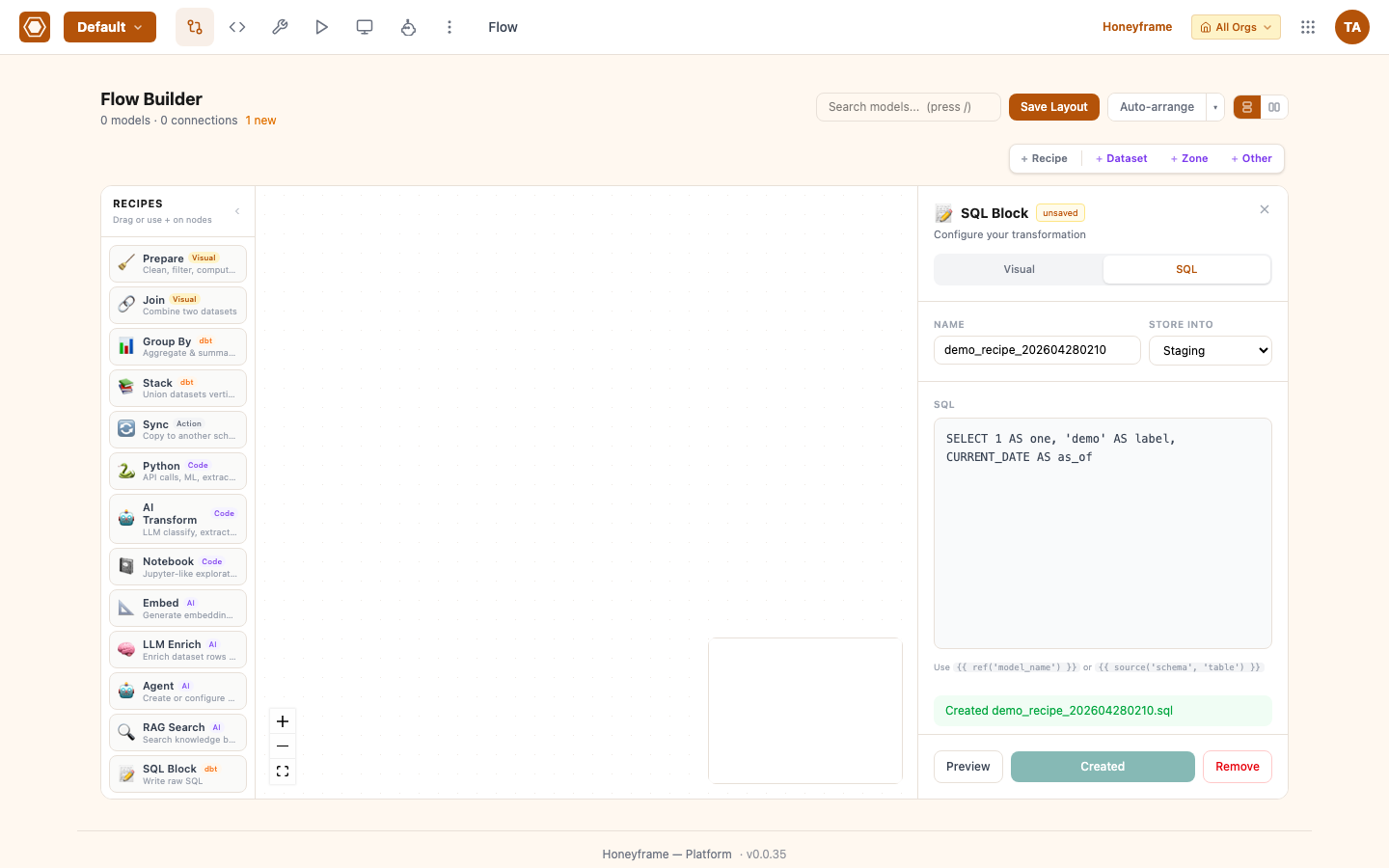
Click Create Model. The block compiles and runs immediately; on success the green pill confirms the resulting model file:
The Prepare recipe is the canonical visual example. It exposes four tabs:
- Columns — select columns to keep, rename, cast types, drop.
- Filter — boolean expressions on the result rows. Compiled to a
WHEREclause. - Formula — derive new columns from existing ones. Honeyframe supports a small expression language (numeric ops,
coalesce,case, date functions). - Window — windowed aggregates (
ROW_NUMBER,LAG,LEAD,RANK) partitioned by columns.
When the user saves a Prepare recipe, the platform compiles each tab's intent to a SQL model. The compiled SQL is visible in the recipe editor's SQL tab — useful for debugging or for promoting a visual recipe to a code recipe.
Prepare processors
Beyond the four core tabs, a Prepare recipe is a linear pipeline of discrete processors. Each one emits a derived column (the source is kept) and is compiled to portable SQL that runs on both Postgres and DuckDB. The catalog covers routine cleanup so operators stop dropping to a SQL recipe:
| Processor | What it does |
|---|---|
split_column | Split a column into N parts via SPLIT_PART. |
fill_null | Replace nulls with a constant (COALESCE). |
cast_type | Cast a column to a target type, with a cast-on-error flag. |
trim_whitespace | TRIM / LTRIM / RTRIM. |
normalize_whitespace | Collapse runs of whitespace to a single space and trim ends ("JOHN DOE " → "JOHN DOE"). |
pad | LPAD / RPAD to a fixed width — e.g. left-pad a code to restore lost leading zeros. |
replace_text | Literal or regex find/replace. |
concat_columns | Concatenate columns (NULL-safe). |
coalesce_columns | First non-null across N columns, in user-picked order — fills a value from a fallback column (vs fill_null, which fills from a constant). |
extract_pattern | Pull a character class (digits / letters / alphanumeric / custom) out of noisy text, e.g. "+62 812-3456 (HP)" → "628123456". |
map_values | Standardize a categorical column via a from→to value map (CASE), evaluated in order, with a configurable ELSE default. |
hash_column | Deterministic MD5(col::text) — a stable pseudonym / blocking key. Note: a pseudonym, not secure anonymization (MD5 of a known value is reversible by lookup). |
flag_valid | Emit a boolean data-quality flag: not_empty, length_range, or all_digits. |
date_extract | Extract a date part (year/month/day/…). |
round_number | Round a numeric column. |
bucket_numeric | Bucket a numeric column into ranges (CASE-WHEN chain, first match wins). |
window_row_number | ROW_NUMBER() OVER (…). |
clean_column_names | Snake-case every source column's alias (an explicit rename still wins). |
date_trunc | Truncate a date/timestamp to a unit (day / week / month / …). |
date_diff | Difference between two dates, with an epoch-seconds mode. |
switch_case | Multi-branch CASE driven by a list of conditions. |
ntile | Bucket rows into N equal-count tiles (NTILE). |
impute_mean | Fill nulls in a numeric column with the column mean. |
row_calc | Row-wise arithmetic across several numeric columns. |
currency_split | Parse a formatted currency string (incl. Indonesian Rp 1.234,56) into a numeric amount and currency. |
url_split | Split a URL into scheme / host / path / query. |
hash_columns | Hash several columns together into one stable key. |
column_pseudonymization | Salted + peppered SHA-256 pseudonym — stronger than hash_column, not reversible by plain lookup. |
grok | Parse semi-structured text with a Grok pattern (34-pattern built-in library). |
ua_classify | Classify a user-agent string into browser / OS / device. |
holiday_flag | Flag whether a date is a public holiday (Indonesian-holidays seed). |
filter_on_numerical_range | Keep only rows whose numeric column falls within a range. |
flag_on_bad_type | Boolean flag where a value can't cast to its expected type. |
flag_on_date_range | Flag rows whose date falls outside an allowed range. |
flag_on_numerical_range | Flag rows whose number falls outside an allowed range. |
Reshaping
Three processors restructure between wide and long layouts: split_fold and fold_columns collapse many columns into key/value rows, and unfold spreads key/value rows back into columns. A true transpose is deliberately refused (with a pointer to fold/unfold) because pivoting rows to columns has no stable output schema.
Code recipes
A SQL recipe lets the user write a dbt model body directly:
SELECT
  customer_id,
  COUNT(*)                AS order_count,
  SUM(amount)             AS revenue,
  MAX(created_at)         AS last_order_at
FROM {{ ref('stg_orders') }}
GROUP BY customer_id
The {{ ref('...') }} macro resolves to the upstream dataset's compiled name. The recipe editor's input panel shows which datasets are referenced, so the dependency graph stays accurate.
A Python recipe runs as a standalone script under the platform's tenant workspace. The platform exposes a small recipe_runner API for reading inputs and writing the output dataset:
from honeyframe.recipe import inputs, outputs

df = inputs.read("upstream_dataset")        # pandas DataFrame
df["enriched"] = df["raw"].apply(my_func)
outputs.write("downstream_dataset", df)
Python recipes cannot be combined with dbt's lineage graph automatically — they're opaque to dbt — so they appear as standalone nodes in the Flow.
SQL Script recipe
A SQL Script recipe runs a multi-statement script verbatim against the warehouse — the author owns the DDL/DML into the output dataset. Statements are split (via sqlparse) and executed in order within a single transaction, so any failure rolls the whole script back. Project variables referenced as :name / ${name} are bound per statement (injection-safe), never string-interpolated. It is authored in a Monaco multi-statement editor with project-variable hints.
Use it for steps the visual builder can't express that still need to be more than one statement — temp tables, multi-step transforms, explicit CREATE/INSERT sequences.
Export recipe
An Export recipe is a terminal sink: it writes its input dataset to a file (csv, parquet, or xlsx) in a managed folder. It produces no downstream dataset — it's the end of a flow branch. Useful for handing data off to systems outside the warehouse.
Running a recipe
Recipes don't run on save. They run when:
- The user clicks Run in the recipe editor, OR
- A scheduled job triggers them as part of a Flow run, OR
- A downstream dataset is queried and Honeyframe detects a stale upstream and runs the recipe to refresh.
Run progress appears live in the recipe editor (pipeline_runs table polled every second). Run history is preserved indefinitely; click any past run to see the compiled SQL, parameters, and stdout.
Lineage
Every recipe registers an edge in the platform's column-level lineage graph. The graph is queryable via the Lineage Explorer (Flow → Lineage) and via /api/lineage. A column-level edge tracks which upstream column each downstream column derives from — invaluable for impact analysis when changing a source.
Migrating from require_role for recipes
Recipe-level access control follows the dataset model: anyone who can read the input datasets can read the recipe; modifying the recipe requires dataset.readwrite (or, in the legacy layer, the editor role) on the recipe's output dataset.
When the dataset permission migration completes (see Permissions Reference), recipes will gain object-level permissions matching their output dataset.