Standard Install
:::info Self-Hosted tier
This page covers Honeyframe Self-Hosted — installing Honeyframe on your own infrastructure with setup-customer.sh. If you are evaluating Honeyframe and want a managed instance instead, see Deployment Tiers — the Cloud tier provisions a Space for you in minutes, no install required.
:::
The standard install runs the core Honeyframe services on a single Linux host with PostgreSQL local or remote. Provisioning is driven by the setup-customer.sh script.
Before you start, confirm System Requirements and have:
- A reachable PostgreSQL instance (host, port, role with
CREATEon the database). - A registered DNS record pointing at the host (or a
*.nip.iowildcard if you only have an IP). - An empty install directory you control. Default is
/opt/honeyframe(renamed from/opt/dataintelin v0.0.29). v0.0.33 dropped the/opt/hubstudio-data-intellegacy auto-detection — dev/CI boxes still on the legacy path must setINSTALL_DIRexplicitly. - An empty data directory. Default is
/data/honeyframe(renamed from/data/hubstudioin v0.0.30; v0.0.32 upgrades migrate the legacy path automatically and leave a back-compat symlink). Setdata_dirininstall.confto override. - (Optional) A vendor-issued
license.jsonif your install has a license gate enabled. See License Activation.
Step 1 — Extract the tarball
Download hub-platform-v0.0.27-linux-x86_64-compiled.tar.gz from the release server, then:
tar xzf hub-platform-v0.0.27-linux-x86_64-compiled.tar.gz -C /opt/
mv /opt/hub-platform-v0.0.27 /opt/honeyframe
cd /opt/honeyframe
./iaas/scripts/install-from-tarball.sh
install-from-tarball.sh lays out the directory and stages the bundled binaries. It is non-destructive — re-run safe.
Step 2 — Write install.conf
Copy install.conf.example and edit the YAML in place:
cp install.conf.example install.conf
vi install.conf
The example file is fully commented; the minimum required sections are customer, tiers, database, domains, and admin:
customer:
  name: acme                         # slug used for systemd, nginx, DB
  display_name: "Acme Corp"          # shown in UI

tiers:
  - paas                             # Hub Data Platform — always required
  # - saas                           # Vertical App (your domain-specific UI on top of PaaS)
  # - iaas                           # Hub Cloud (server mgmt, billing)

database:
  host: db.example.com
  port: 5432
  name: honeyframe
  user: honeyframe
  password: "<set me>"

domains:
  paas: platform.acme.example.com
  # saas: app.acme.example.com       # only if saas tier is selected
  # iaas: cloud.acme.example.com     # only if iaas tier is selected

admin:
  email: ops@acme.example.com
Step 3 — Run setup
./iaas/scripts/setup-customer.sh --yes --config install.conf
The --yes flag (added in v0.0.27) auto-confirms prompts; it is also auto-enabled when stdin is not a TTY (e.g. under nohup or CI). The script loads the config and prints a summary banner before doing any work:
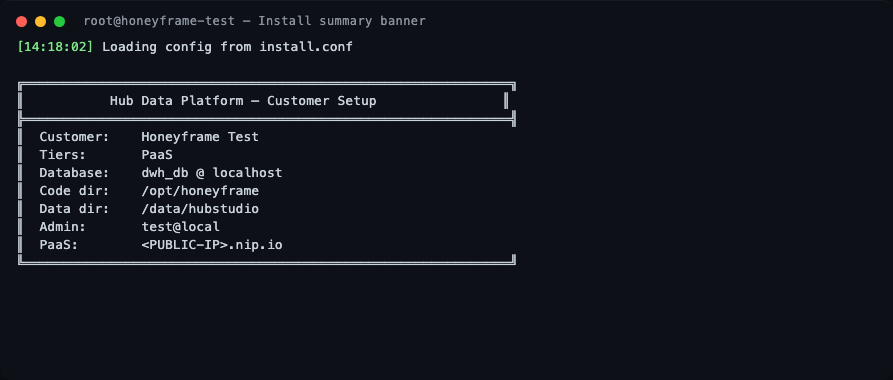
The script then runs through 10 stages.
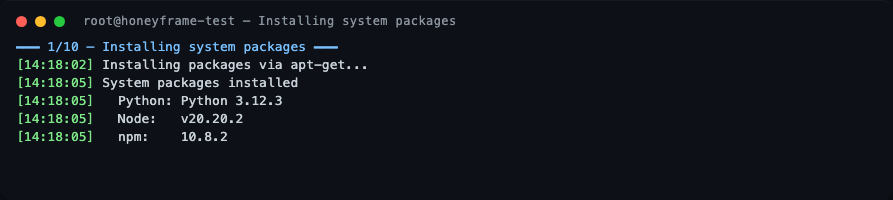
Stage 1 — System packages
nginx, postgresql-client, unzip, and Node.js 20 are installed via apt. On a freshly-booted cloud VM this is where you may see a long pause: the script waits up to 10 min for unattended-upgrades to release the dpkg lock before proceeding. This is normal, not a hang.
Stage 2 — Dependencies
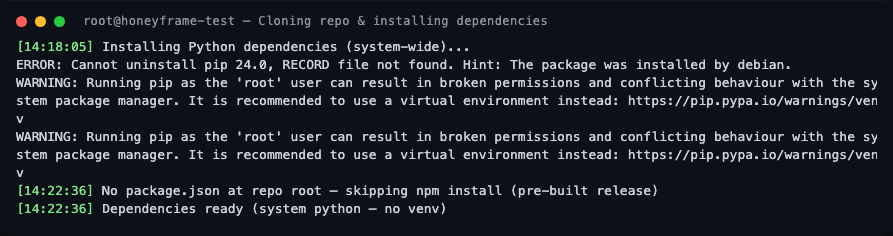
If the install dir was pre-populated (e.g., from the tarball), the git clone is skipped. Python dependencies are installed system-wide. There is no virtual environment by design — see Custom systemd Units for the rationale.
Stage 3 — Data directory and swap
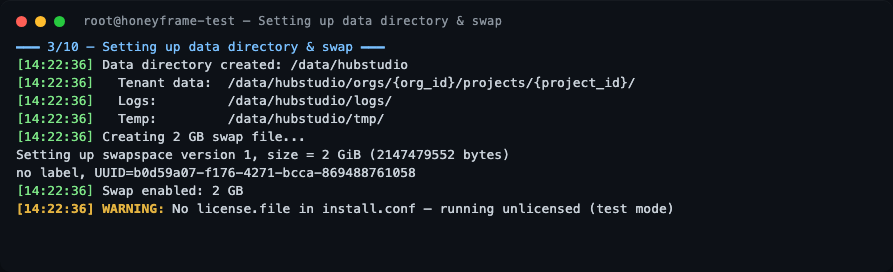
The data layout is created under /data/honeyframe (or whatever data_dir you configured). A 2 GB swap file is also created — Honeyframe is fine on 4 GB RAM hosts because swap absorbs occasional Python spikes during dbt runs.
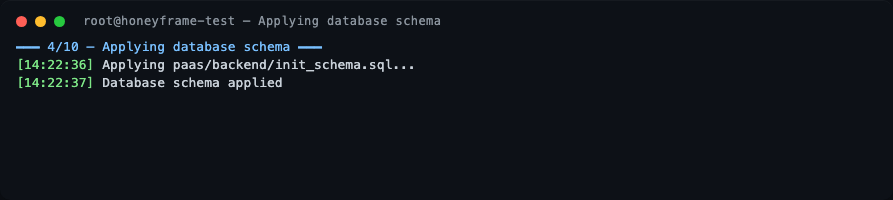
Stage 4 — Database schema
The paas/backend/init_schema.sql file is applied to your PostgreSQL. A single honeyframe schema is created — it holds all platform data (tenants, users, projects, dashboards, audit logs, query history, lineage). v0.0.27 used two schemas (hubstudio + dataintel); v0.0.29 folded them into one.
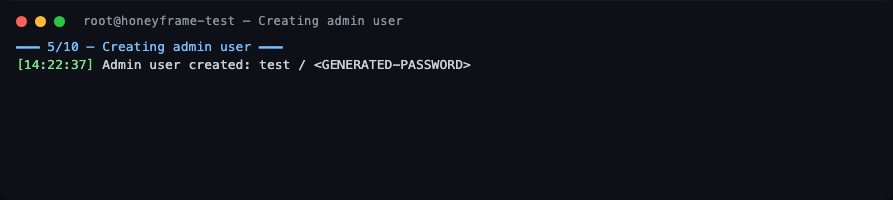
Stage 5 — Admin user
A default superadmin is bootstrapped. The username and one-time password are printed to stdout — capture them before the terminal scrolls. You will be forced to change the password on first login.
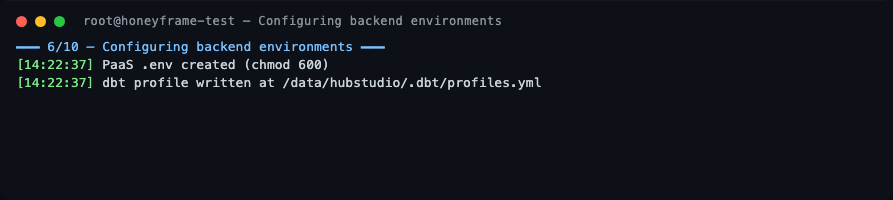
Stage 6 — Backend environment
.env files are written with mode 0600 to $DATA_DIR/config/:
- PaaS:
$DATA_DIR/config/.env - SaaS:
$DATA_DIR/config/saas.env - IaaS:
$DATA_DIR/config/iaas.env
A back-compat symlink is left at the legacy in-tree path ($INSTALL_DIR/paas/backend/.env) so older backup scripts keep working. The systemd units load both via EnvironmentFile=- (the data-dir entry wins because it's listed last). The dbt profile is rendered to $DATA_DIR/.dbt/profiles.yml.
This split (immutable code in $INSTALL_DIR, mutable state in $DATA_DIR) is the same shape Dataiku DSS uses — see Install Layout below.
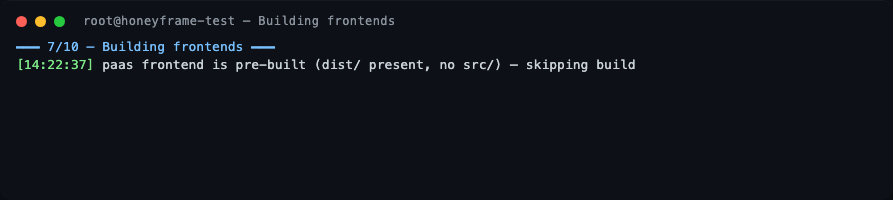
Stage 7 — Frontends
If the tarball already contains pre-built dist/ directories (the default for a release tarball), the Vite build is skipped.
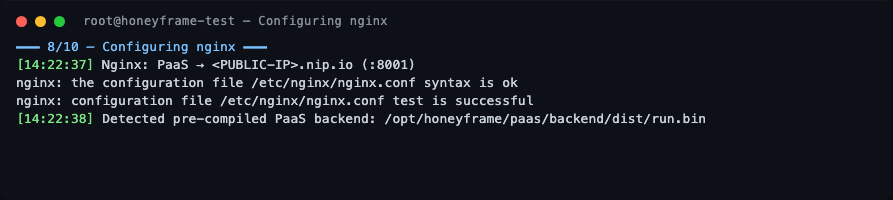
Stage 8 — nginx
The PaaS domain is wired up as a reverse proxy to 127.0.0.1:8001. nginx -t is run before reload — if it fails the install aborts before touching live config.
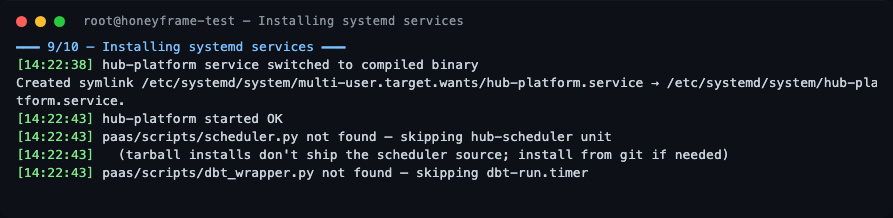
Stage 9 — systemd
hub-platform.service is installed and started. From v0.0.32, dbt-run.timer and other *.timer units are bundled in the release tarball — earlier tarballs only included *.service files, so timer-driven units silently no-op'd. If you installed from a tarball older than v0.0.32, hub-scheduler.service and dbt-run.timer are gracefully skipped — see "What's not in the tarball" below.
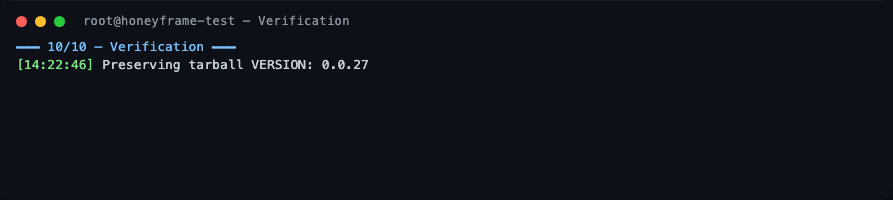
Stage 10 — Verification
The script preserves the tarball VERSION file at /opt/honeyframe/VERSION and prints a Setup Complete banner.
Setup complete
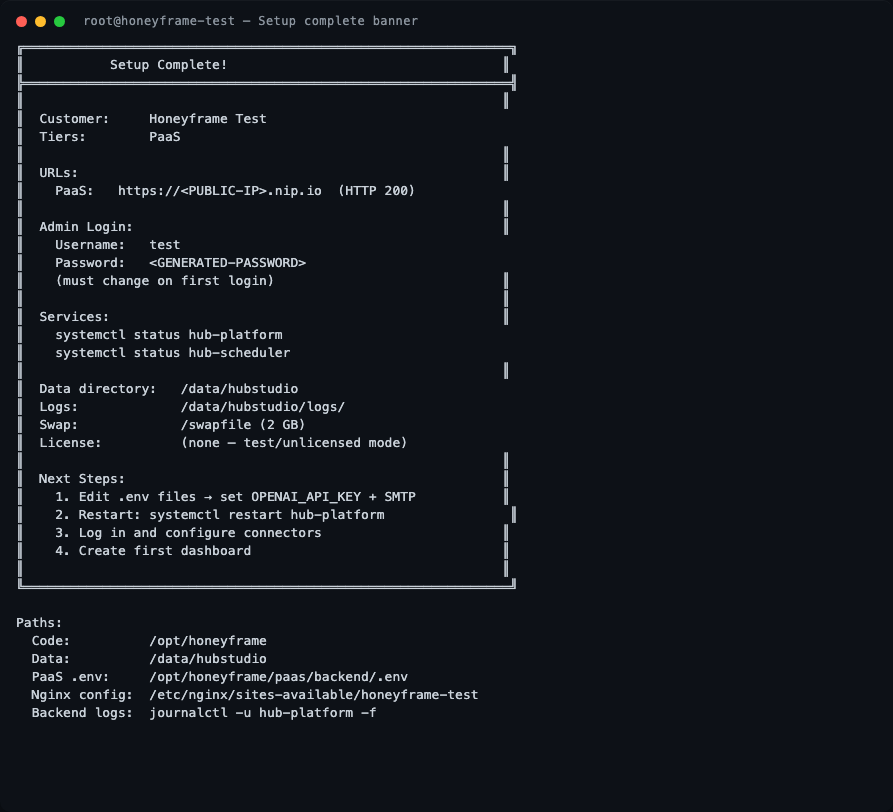
The banner contains everything you need: the public URL, the generated admin credentials (one-time — captured before the terminal scrolls), the systemd unit names to watch, the data directory, and the path to the per-service .env files.
Verifying the install
These are the actual outputs from the v0.0.27 verification run on the test server, ~24 minutes after Setup Complete!:
Confirm the version pinned to disk
The tarball writes a VERSION file you can check at any time:

Service status
systemctl status hub-platform
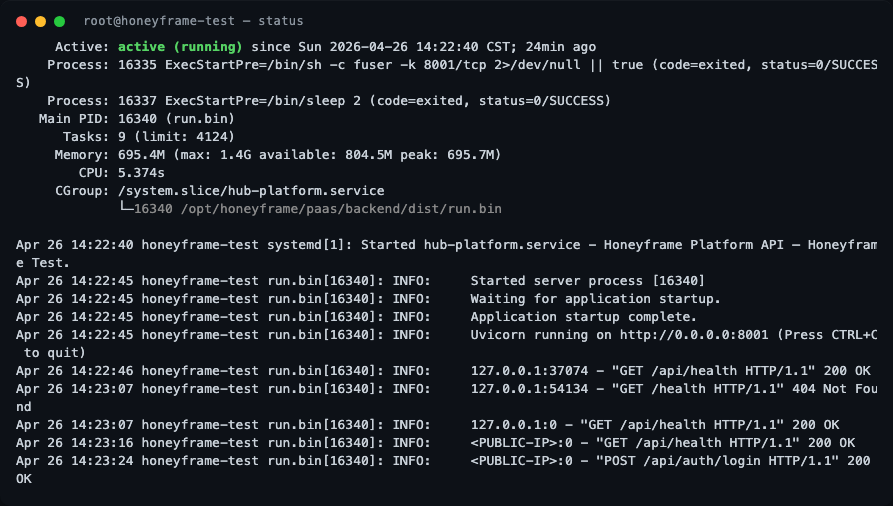
What to look for:
Active: active (running)(green) — the service is up.Main PIDfollowed by(run.bin)— confirms the compiled Nuitka binary is serving, not a Python interpreter fallback.- Memory line shows
peak: ~700Magainst amax: 1.4Glimit — the systemdMemoryMax=1500Mcap is working as intended. - The recent journal lines show the FastAPI startup sequence (
Uvicorn running on http://0.0.0.0:8001) and a successfulPOST /api/auth/login HTTP/1.1 200 OK— proof the login round-trip works end-to-end.
Healthcheck
curl -s -o /dev/null -w "HTTP %{http_code}  %{time_total}s total\n" \
    http://localhost:8001/api/health

A healthy v0.0.27 install responds in single-digit milliseconds. If you get HTTP 502, nginx is up but the backend isn't — check journalctl -u hub-platform -n 30.
Active hub-* units
systemctl list-units 'hub-*'
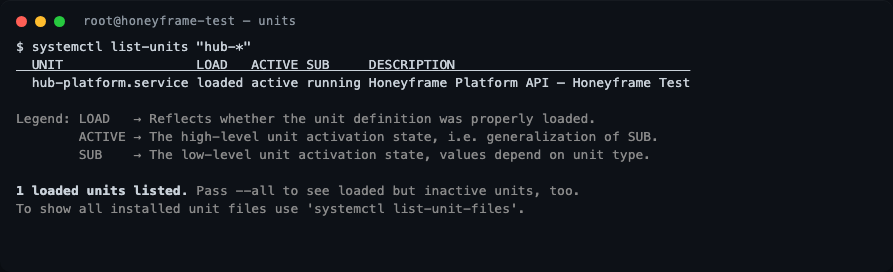
On a paas-only install you should see exactly one unit: hub-platform.service. If you enabled the saas or iaas tier, the corresponding units will appear here too.
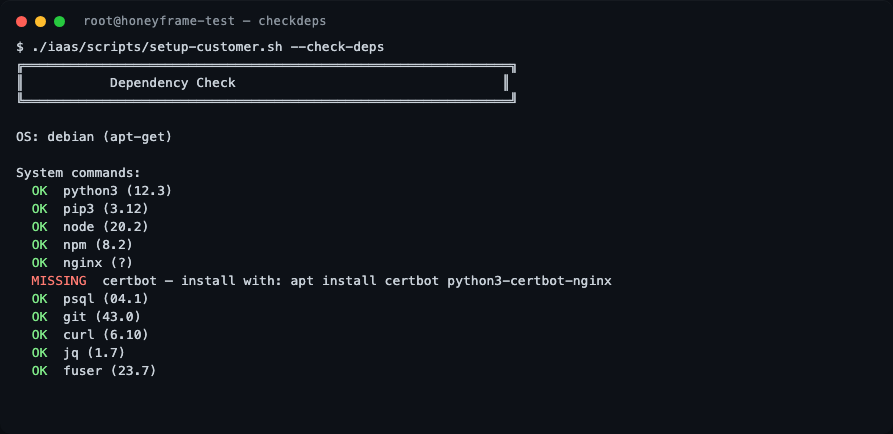
What --check-deps reports
Re-running the dependency check on a freshly installed box is the fastest way to confirm what the script picks up:
./iaas/scripts/setup-customer.sh --check-deps
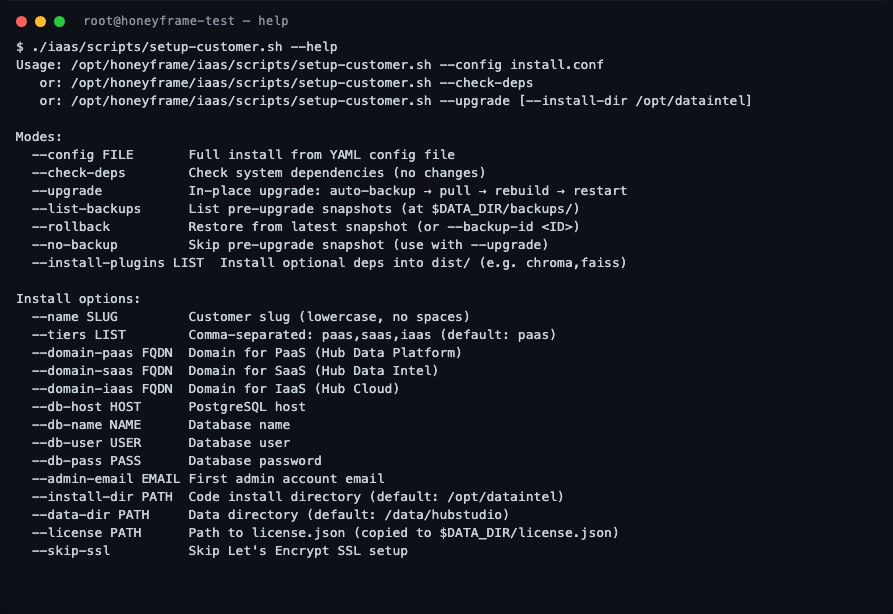
All setup-customer.sh flags
For reference, the full flag list — useful when scripting a non-interactive install or debugging an upgrade:
What's in (and not in) the tarball
What's bundled (post-v0.0.32):
- Compiled
run.bin(Nuitka), built frontenddist/, dbt project files. - All systemd
*.serviceand*.timerunits (*.timerwas added in v0.0.32 — earlier tarballs only had*.service, so timer-driven units silently no-op'd). paas/scripts/migrations/*.sql— schema migrations the upgrader runs viapsql -f(added in v0.0.32, closes the manual SCP gap from the v0.0.30 deploy).paas/tests/e2e/infra/— test-ECS bootstrap (added in v0.0.32, ~10 KB; only used whenFEATURE_E2E_FIXTURES=true).
What's deliberately omitted:
- Python source for
paas/scripts/scheduler.pyandpaas/scripts/dbt_wrapper.py(stripped post-Nuitka build). On a tarball install,setup-customer.shgracefully skipshub-scheduler.service(CDC syncs, scheduled refreshes).
If you need the scheduler unit, install from git instead:
git clone https://github.com/HubStudio-id/hub-data-intelligence.git /opt/honeyframe
cd /opt/honeyframe
./iaas/scripts/setup-customer.sh --config install.conf
Install layout
From v0.0.32, Honeyframe follows a strict immutable-code / mutable-state split (the same model Dataiku DSS uses). On disk:
/opt/honeyframe/                    ← INSTALL_DIR (replaceable on upgrade)
├── VERSION                         tarball-pinned release marker
├── paas/
│   ├── backend/dist/run.bin        compiled Nuitka binary
│   ├── frontend/dist/              built Vite assets
│   ├── dbt/                        dbt project files
│   ├── scripts/migrations/         bundled SQL migrations (v0.0.32+)
│   └── tests/e2e/infra/            test-ECS bootstrap (v0.0.32+, only when FEATURE_E2E_FIXTURES=true)
├── iaas/scripts/                   setup-customer.sh, install-from-tarball.sh
└── install.conf.example

/data/honeyframe/                   ← DATA_DIR (preserved on upgrade)
├── config/
│   ├── .env                        PaaS env (chmod 600)
│   ├── saas.env                    SaaS env (if installed)
│   └── iaas.env                    IaaS env (if installed)
├── plugins/                        customer-installed plugins
├── orgs/<org_id>/projects/<id>/    tenant data
├── caches/                         in-process query caches, vector stores
├── vector_stores/                  embeddings (chroma/faiss)
├── logs/                           application logs
├── tmp/                            scratch
├── license.json                    if license gate is enabled
└── backups/<timestamp>/            pre-upgrade snapshots
Why this matters for upgrades: setup-customer.sh --upgrade blows away $INSTALL_DIR and replaces it with the new tarball. Everything in $DATA_DIR survives. Pre-v0.0.32, .env and customer-installed plugins lived in $INSTALL_DIR, which meant a binary swap could destroy them. v0.0.32 introduced a lifespan migration shim that moves both to $DATA_DIR/config/ and $DATA_DIR/plugins/ on first boot post-upgrade. v0.0.33 made the shim self-healing: if a deploy step (rsync, manual copy) puts a real .env file back at the in-tree path, the next boot atomically swaps it to a symlink pointing at the data-dir copy. No operator intervention needed. The shim drops out of the codebase in v0.0.34 once all live tenants have rebooted ≥1× on v0.0.33.
Logging in for the first time
Sign in to the URL printed in the success banner with the username and password it captured. You will be prompted to change the password immediately. After that, create your first organization and project from the UI.
Upgrading an existing install
setup-customer.sh (v0.0.31+) supports in-place upgrades with automatic pre-upgrade snapshots. v0.0.32 added a one-shot lifespan migration that relocates .env and customer plugins from $INSTALL_DIR into $DATA_DIR on first boot — idempotent, runs once per host:
./iaas/scripts/setup-customer.sh --upgrade --install-dir /opt/honeyframe
The upgrade flow:
-
Snapshots
$INSTALL_DIRto$DATA_DIR/backups/<timestamp>/along with abackup_meta.jsonrecording the prior version, timestamp, hostname, and paths. v0.0.47+ also writes afull-install.tgzto the same directory — a complete recovery artifact (excludesnode_modules,vendor/,__pycache__,.git, andbackups/) so any wiped subtree, symlink, or operator-added file is recoverable from a single archive. -
Pulls the new release into
$INSTALL_DIR(rsync-aware — preserves.env,license.json,install.conf, andVERSION). -
Rebuilds whatever the new version requires (Python deps, frontend
dist/). -
Restarts every
hub-*.serviceunit on the host (v0.0.47+ — washub-platform.serviceonly; recent prod deploys needed manual restarts ofhub-control-plane,hub-scheduler,hub-vertical). On non-systemd hosts (Mac dev, slim containers) it falls back to the built-in tier list. ExistingDATA_DIRis detected from the running systemd unit and preserved — you don't lose tenant data even if the new version's default has changed. -
(v0.0.32+) On the first request after restart, the lifespan migration shim runs. It handles three cases idempotently:
- In-tree real file, data-dir copy missing — copies the file to
$DATA_DIR/config/.env(chmod 600), then atomically swaps the in-tree path to a symlink (v0.0.33+). - In-tree real file, data-dir copy already present — atomically symlinks the in-tree path without re-copying (v0.0.33+).
- In-tree already a symlink — no-op.
The atomic swap uses
os.symlink+os.replace(rename(2)), so a crashed migration leaves the original file intact. Plugins follow the same flow but only flip to a symlink after every entry is successfully mirrored — partial copies don't strand un-migrated content. The shim drops out of the codebase in v0.0.34 once all live tenants have rebooted ≥1× on v0.0.33. - In-tree real file, data-dir copy missing — copies the file to
Verifying the deploy with honeyframe verify
v0.0.48+ ships a stricter post-deploy check than honeyframe status. Wire it into your deploy script as the final gate:
honeyframe verify
- Exits non-zero on any failure — suitable for CI / cron / smoke scripts.
- Cross-checks live
/api/versionagainst the on-diskVERSIONfile (catches stale-process deploys where the binary swapped but the process didn't restart). - Runs
schema_sync --dry-runto confirm the parser still works against the shippedinit_schema.sql. - Confirms
nginxplus every detectedhub-*.serviceis healthy. Services that don't expose HTTP (hub-control-plane,hub-scheduler) are gated gracefully — they get an OK without a port check. - (v0.0.49+) Verifies the
run.binEd25519 signature alongside the live-vs-on-disk version check.
Tarball signature verification (v0.0.49+)
Releases built on CircleCI are now signed end-to-end. The build job runs scripts/sign_release.py against every releases/*.tar.gz, signs the inner run.bin, and re-packs the tarball with .sha256 + .sha256.sig sidecars. The platform pubkey (Ed25519) is baked into the CLI at build time as HONEYFRAME_PUBKEY_HEX, and honeyframe update verifies both the tarball sidecar and the inner run.bin signature before unpacking and again before restart.
Default behavior is soft-warn so existing installs aren't broken by an unsigned probe build. To make signature verification a hard-fail, pass --require-signature:
honeyframe update --require-signature
We recommend --require-signature on production installs once you've confirmed the signature path is healthy on a test deploy.
Rolling back with honeyframe rollback (v0.0.49+)
v0.0.47 started writing full-install.tgz to backups/<name>/ on every update; v0.0.49 closes the loop with a single command:
honeyframe rollback                   # dry-run plan against the newest backup
honeyframe rollback --list            # list available backups
honeyframe rollback <backup-name>     # target a specific backup
honeyframe rollback --yes             # skip confirmation, actually restore
The flow extracts the archive to /tmp/honeyframe-rollback-<ts>/ first (the archive lives under INSTALL_DIR/backups/<x>/full-install.tgz — swapping INSTALL_DIR first would invalidate the read), stops every detected hub-* service, atomically renames the live install aside (preserved at INSTALL_DIR.rollback-parked-<ts> so a botched rollback is reversible with mv + restart), moves the staged install into place, runs an SELinux relabel, restarts every service, and prints a honeyframe verify reminder.
Default is dry-run. Without --yes the command prints the plan and exits — operators must explicitly opt in to the destructive swap. Pre-v0.0.47 backups (no full-install.tgz) are listed but rejected for restore with a "v0.0.47+" message.
Service-user split with honeyframe migrate-to-svc-user (v0.0.49+, opt-in)
By default the platform's hub-*.service units run as root. v0.0.49 ships an opt-in migration to a dedicated honeyframe-svc system user:
honeyframe migrate-to-svc-user        # dry-run: print the plan
honeyframe migrate-to-svc-user --yes  # create user, chown, patch units
The command creates the user, chowns INSTALL_DIR + DATA_DIR, hardens .env to 0640 root:honeyframe-svc, and patches every hub-* systemd unit. Idempotent on re-run. Default systemd templates are unchanged so existing prod installs aren't disturbed until you opt in.
honeyframe secrets-doctor (v0.0.49+)
Audits every .env under INSTALL_DIR and DATA_DIR for mode (0600 / 0640), owner, and sensitive-key presence. Exits non-zero on findings — wire into cron for ongoing posture monitoring. Interim measure until the v0.0.50+ Vault integration lands.
honeyframe secrets-doctor
CLI audit log
Every CLI invocation (install, update, rollback, activate, verify, migrate-to-svc-user, secrets-doctor) writes a JSON-line to /var/log/honeyframe/audit.log with ts, action, status, user, host, pid, invocation_id. Mirrored to journald via logger -t honeyframe-audit for SIEM forwarding. Falls back to /tmp/honeyframe-audit.log on perm failure. This is separate from the in-app audit log, which records UI/API activity inside a tenant — the CLI audit log records host-level operator activity.
Upgrading from a /data/hubstudio install
If your install pre-dates the v0.0.30 data-dir rename and is still on /data/hubstudio, the v0.0.32 upgrade detects this from the running systemd unit and keeps using the legacy path — nothing breaks. To migrate the data dir to the canonical /data/honeyframe location:
systemctl stop hub-platform
mv /data/hubstudio /data/honeyframe
ln -s /data/honeyframe /data/hubstudio    # back-compat for any hardcoded refs
sed -i 's|/data/hubstudio|/data/honeyframe|g' /etc/systemd/system/hub-platform.service
systemctl daemon-reload
systemctl start hub-platform
The platform_dirs resolver auto-detects whichever path is canonical; the legacy symlink covers any stragglers (cron jobs, tenant-supplied configs, dbt profiles).
Related flags:
| Flag | Purpose |
|---|---|
--list-backups | Show all snapshots under $DATA_DIR/backups/. |
--rollback | Restore from the most recent snapshot. |
--rollback --backup-id <ID> | Restore from a specific snapshot. |
--no-backup | Skip the pre-upgrade snapshot (faster, riskier — only use if you have an external backup). |
--json-events | Emit one newline-delimited JSON event per log/warn/error/step transition to stdout. Stderr stays human-readable. Used by the Honeyframe Cloud control plane to ingest provisioning state without grepping bash output. --yes is implied. (v0.0.39) |
Re-running on a half-finished install (v0.0.39)
setup-customer.sh is now idempotent — re-running on a partially-completed install resumes cleanly without clobbering operator state. Concretely:
- Admin password — Step 5 is
ON CONFLICT DO NOTHING. An admin who already rotated the bootstrap password keeps their current one; the script no longer re-armsmust_reset_password. - Secrets in
.envfiles — Step 6 skips rewritingpaas/.env,saas.env,iaas.env, anddbt/profiles.ymlif they already exist. Operator's post-install edits (OPENAI_API_KEY, SMTP creds, an external source token) are preserved. SetFORCE_ENV_REWRITE=truein the environment to opt into the old behavior — useful for first-time provisioning by the control plane, harmful on a running tenant. - Service restart — Step 9 uses
systemctl restart(wasstart). Already-running units now pick up new templates / binaries on re-run instead of silently keeping the old version.
If you abort a run mid-install (Ctrl+C, network drop, etc.), simply re-run the same setup-customer.sh invocation. The script picks up where it left off, doesn't trash your secrets, and restarts the service cleanly.
Optional plugin install
--install-plugins LIST installs optional Python packages into dist/ after the main install. Useful for opt-in connectors that aren't in the default tarball:
./iaas/scripts/setup-customer.sh --upgrade --install-plugins chroma,faiss
License activation
If your install requires a license, pass --license PATH and the script copies the file to $DATA_DIR/license.json (chmod 600). The backend's LICENSE_FILE env var points at it on every start. See License Activation for the full flow.
What's next
- License Activation — license gate flow, activation, and renewal.
- Reverse Proxy — anatomy of the nginx config the script wrote.
- TLS / Certificates — renewing certs and adding new domains.
- Custom systemd Units — overriding limits, env vars, or the run user.