Connectors
A connector tells Honeyframe how to reach an external system — a database, an object store, a vector index, an LLM API, or a webhook target. Connectors are configured once at the project level and reused across datasets, recipes, and agent tools.
The connector implementations live under paas/backend/connectors/. Each connector is registered in a central registry; the catalog endpoint (GET /api/connectors/catalog) returns every type the running platform supports along with its config schema.
Queryable vs non-queryable
Connectors split into two groups based on the is_queryable flag.
Queryable — can be the source of a dataset or a SQL query:
- PostgreSQL (
postgresql) — also the platform's own metadata store. - MySQL (
mysql) and MariaDB (mariadb). - Microsoft SQL Server (
mssql). - Oracle (
oracle) — schema/table names must be uppercase. - Snowflake (
snowflake). - BigQuery (
bigquery). - MongoDB (
mongodb) — document store, queryable through the dataset surface. - Elasticsearch (
elasticsearch) — full-text search and aggregations. - REST API (
api_rest) — generic HTTP connector for sources without a first-class driver. - CSV upload (
csv) — accepts user-uploaded CSV/Excel and persists rows as a managed dataset. Subject to the nginxclient_max_body_size(default 200 MB). - Object storage —
s3_storage,gcs_storage,oss_storage. Queryable through the Lakehouse layer (DuckDB over Delta/Parquet), not direct SQL.
Non-queryable — cannot back a dataset; used by other surfaces (agents, knowledge bases, automation):
- LLM providers —
openai_llm,anthropic_llm,ollama_llm. Used by Agent Builder, the SQL chat surface, Cobuild, the dashboard chat panel, and Knowledge Base retrieval. Per-org BYO keys live here as of v0.0.56 (category='llm') — the legacy/ai-keyspage is retired and redirects to/connectors. - Vector stores —
chroma,faiss. Persist embeddings for the Knowledge Base. - Orchestration —
n8n_webhook(fire events at an n8n workflow). - Messaging —
twilio_messaging(used by thesend_whatsappagent tool).
Legacy type aliases (e.g. rds → postgresql) are recognised by the registry for backward compatibility with older installs. New connectors should use the canonical type names listed above.
Configuring a connector
The Connectors page lists every active connector for the current project. On a fresh install it's empty:
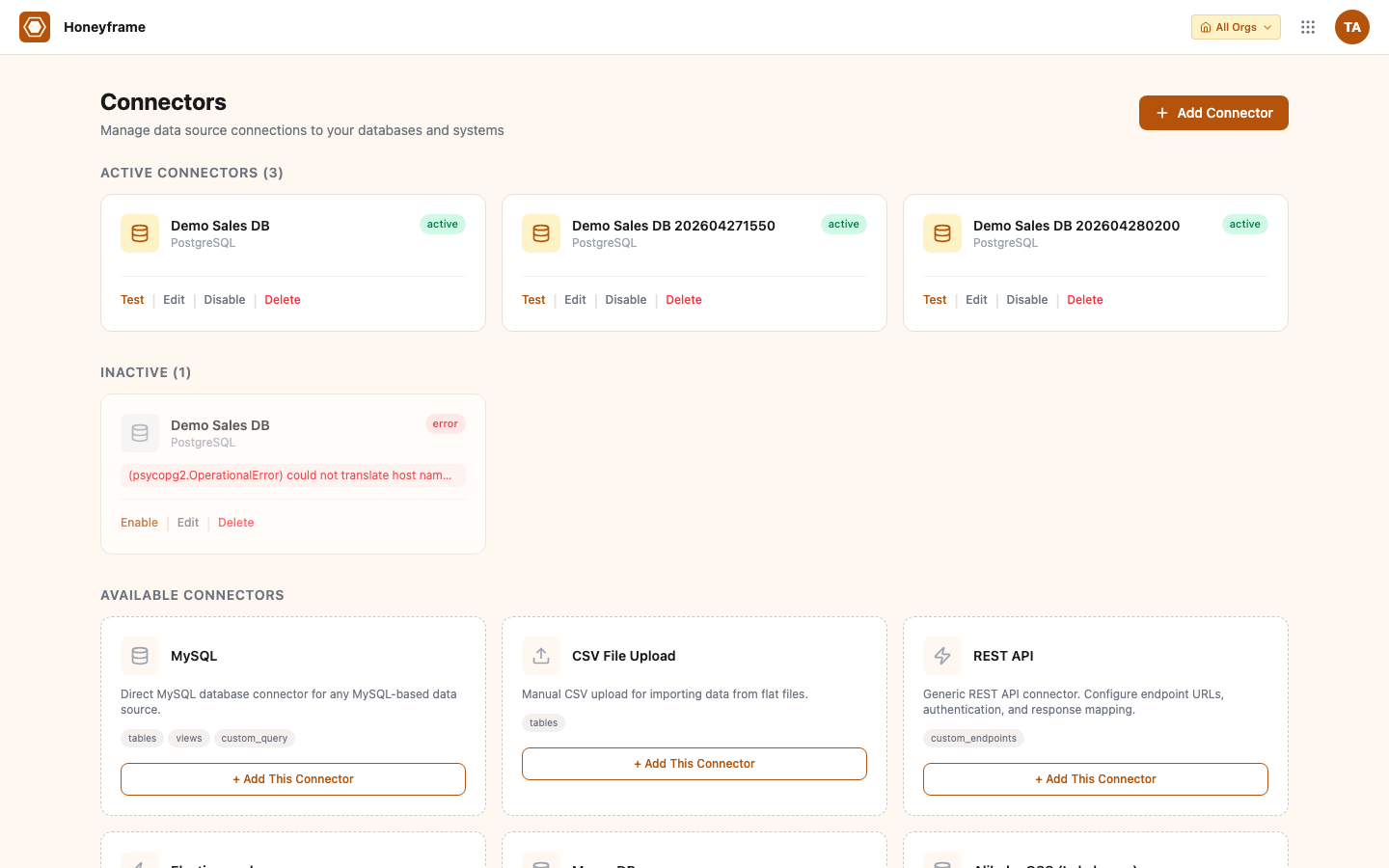
Click + Add Database Connector (or + Add Connector for non-DB types) to open the type picker. Honeyframe shows every supported type with a short description:
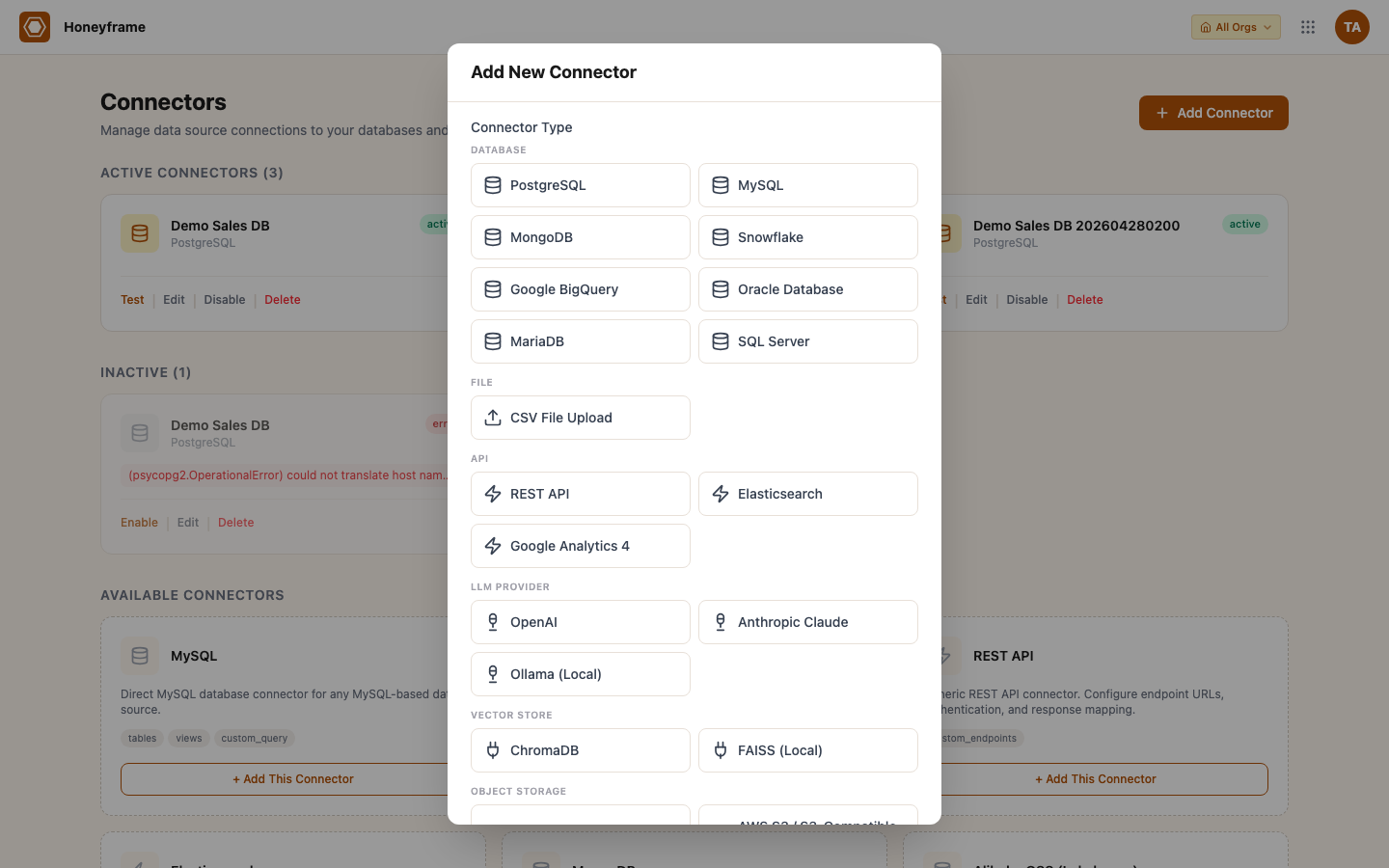
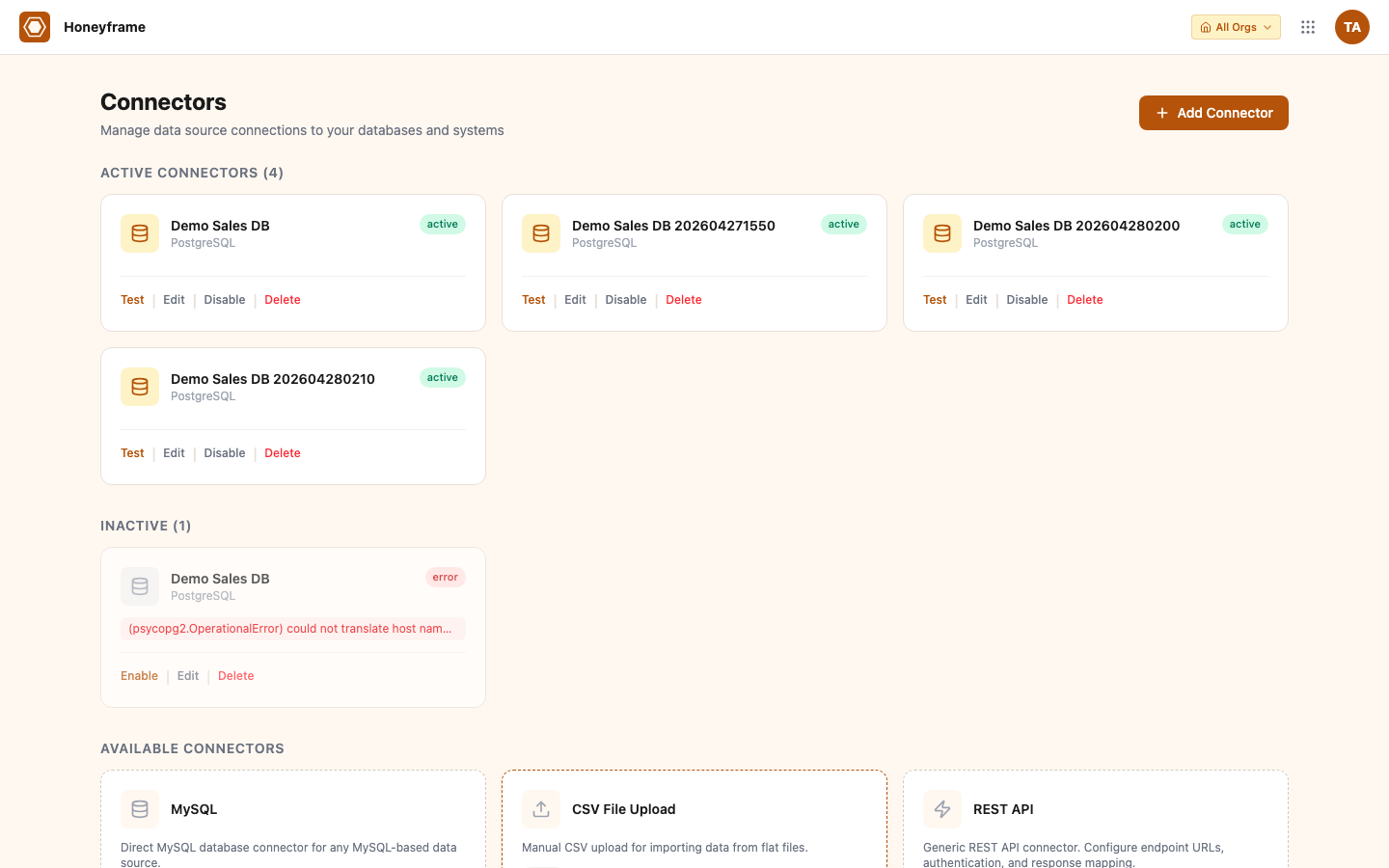
After picking a type, fill the type-specific fields (host / port / credentials for SQL, API base URL + key for REST APIs, bucket + region for object storage, etc.) and submit. The new connector appears in the catalog with a Test button:
In the platform UI:
- Open the Connectors page in the sidebar (org admins only).
- Click + New Connector and pick a type from the catalog.
- Fill in the connection parameters. Sensitive fields (passwords, API keys, service-account JSON) are encrypted at rest with AES-GCM into a sibling
connection_secrets_enccolumn — they never touch the JSONBconfigcolumn. GET responses mask secrets with••••••••; PUT preserves the sentinel so unchanged secrets stay untouched. - Test verifies the connection without saving. The result lands in the test history pane.
- Save writes the connector to the
data_connectorstable. It becomes selectable when creating datasets, recipes, or agent tools.
Programmatically:
curl -X POST https://platform.your-domain.com/api/connectors \
  -H "Authorization: Bearer $TOKEN" \
  -H "Content-Type: application/json" \
  -d '{
    "name": "Production Postgres",
    "type": "postgresql",
    "config": {
      "host": "db.example.com",
      "port": 5432,
      "database": "analytics",
      "username": "honeyframe_ro",
      "password": "<redacted>",
      "sslmode": "require"
    },
    "output_schemas": ["public", "marts"]
  }'
output_schemas is the list of schemas the platform may discover and read from. Leave it empty to default to the connector's "owned" schemas; set it explicitly to restrict what shows up in the dataset browser.
Auto-sync schedule
Queryable connectors can be created with an attached schedule via the bootstrap endpoint:
curl -X POST https://platform.your-domain.com/api/connectors/bootstrap \
  -H "Authorization: Bearer $TOKEN" \
  -H "Content-Type: application/json" \
  -d '{
    "name": "Production Postgres",
    "type": "postgresql",
    "config": {...},
    "schedule_cron": "0 2 * * *",
    "schedule_mode": "incremental"
  }'
schedule_mode is incremental (only changed rows since the last successful run, requires a watermark column) or full (truncate + reload). The scheduler runs every minute; the cron expression decides which connectors fire. Skipped runs are logged but not retried — the next cron tick is the next chance.
Permission model
Connector access splits off org.admin into two scoped permissions as of v0.0.55 — designers can manage data sources without full org-admin (the Dataiku model where builders own their flows):
| Endpoint group | Permission |
|---|---|
| Catalog, scripts, list, get, models (read paths) | connector.read |
POST, PATCH, DELETE, test, bootstrap, send-message | connector.edit |
Per-role implicit grants (mirrors the seed migration):
| Role | Connector access |
|---|---|
admin | all (via the role == 'admin' shortcut) |
designer | connector.{read,edit} |
analyst | connector.read |
viewer | none |
The Connectors page sits next to Datasets in the Data section of the sidebar — it moved out of Administration in v0.0.55. Connectors are a data construct, not pure admin.
Connectors remain project-level resources with no per-connector ACL beyond the permission strings above. Anyone with connector.read can see the list and reference connectors when building datasets. Sharing of the data flows through datasets — see Users & Groups — not connectors.
The connector is the credential. The dataset is the unit of access control.
Credential vault
Recognized secret fields (password, api_key, auth_token, service-account JSON, etc.) are encrypted at rest using AES-GCM into a sibling column (connection_secrets_enc), separate from the data_connectors.config JSONB. The encryption key is derived from the platform's JWT secret, so no new operator env is required.
The vault covers postgres / mysql / oracle / snowflake / bigquery / mongo / s3 / oss / gcs / twilio / openai_llm / anthropic_llm / n8n and others. Unknown connector types passthrough — Honeyframe never silently encrypts the wrong fields.
Operator action on upgrade. Existing connectors carry their secrets in plaintext JSONB until you backfill them. Run once per tenant after deploy:
python3 paas/scripts/migrations/2026-05-04_encrypt_connector_secrets.py --dry-run   # preview
python3 paas/scripts/migrations/2026-05-04_encrypt_connector_secrets.py             # apply
The script is idempotent — re-runs skip already-migrated rows. Until you backfill, plaintext-config rows still work via passthrough fall-through, so the migration is non-breaking.
API reference
| Endpoint | Description |
|---|---|
GET /api/connectors/catalog | Available connector types with config schemas. Use this to render a creation form. |
GET /api/connectors | List active connectors in the project. |
GET /api/connectors/{id} | One connector's full config (sensitive fields are returned masked). |
POST /api/connectors | Create. |
POST /api/connectors/bootstrap | Create + attach a schedule in one call. |
PATCH /api/connectors/{id} | Update name, description, config, or schedule. |
DELETE /api/connectors/{id} | Remove. Datasets that reference the connector keep their cached schemas but can no longer sync. |
POST /api/connectors/{id}/test | Verify connectivity without saving. Returns {ok, latency_ms, error?}. |
GET /api/connectors/{id}/models | Discover tables/collections the connector exposes — used by the dataset browser. |
Authentication uses the same JWT format as the rest of the API — see Authentication under the Developer property.
Adding a new connector type
- Create
paas/backend/connectors/<name>.pyand subclass the appropriate base (SQLBase,StorageBase,LLMBase,VectorStoreBase, orBaseConnectorfor a one-off). - Implement the required methods (
test,read_schema,read_rows, etc. — pattern off the existing connectors). - Register the class in
paas/backend/connectors/registry.py. Setis_queryable=Falseif it should not appear in the dataset browser. - Add a config schema entry; the catalog endpoint serves it directly to the frontend, so no separate frontend form code is needed.
- Add a unit test covering
test()and one read or write path.
The connector framework does not require a server restart for new types — registry registration happens at module import time, which means the next process start picks the new type up.
Connection pooling
SQL connectors maintain per-process connection pools. The defaults are conservative (5 idle, 20 max) and tuned for the platform's mostly-read workload. Tune on a per-connector basis via the connector config:
{
  "pool_size": 10,
  "max_overflow": 30,
  "pool_recycle": 1800
}
Object-storage and HTTP connectors use the underlying SDK's pooling — typically a per-thread session.