Plugins
Honeyframe uses the word "plugin" for three different things. Read the right section.
| If you want to… | Read |
|---|---|
| Install an optional database / vector-store / ML driver (Oracle, Teradata, Databricks, Snowflake, FAISS, Torch, …) | Driver plugins |
| Add a custom recipe, Prepare transform, connector, or scenario step from a package | Installed plugins |
| Ship a curated extension package (routers, a dbt workspace, seeded recipes and dashboards) for a line of business | Extension packages (plugin.yaml) |
Driver plugins
What they are. Optional pip packages that provide connector drivers Honeyframe doesn't bundle by default. The base install supports PostgreSQL, MySQL, and MariaDB out of the box; other drivers are opt-in to keep the base tarball small and its compiled dependencies stable.
Catalog
These aliases are recognised by --install-plugins and by the plugins: field in install.conf. The middle column is the pip package each alias resolves to.
| Alias | Package | Use for |
|---|---|---|
chroma / chromadb | chromadb | Chroma vector store (chroma connector) |
faiss | faiss-cpu | FAISS vector store (faiss connector) |
oracle / oracledb | oracledb | oracle connector |
teradata / teradatasql | teradatasql | teradata connector |
databricks / databricks-sql-connector | databricks-sql-connector | databricks connector |
mysql | pymysql | MySQL / MariaDB driver extras |
mssql | pymssql | sqlserver and synapse connectors |
mongo / mongodb | pymongo | mongodb connector |
snowflake | snowflake-connector-python | snowflake connector |
bigquery | google-cloud-bigquery | bigquery connector |
ga4 | google-analytics-data | google_analytics ingestion |
oss | oss2 | oss_storage object storage |
torch | torch | Local embedding / model inference |
The aliases are install-time names only; the connector types they enable are listed on Connectors.
Installing at install time
In install.conf:
customer:
  name: acme
  display_name: Acme Robotics
# ...
plugins: chroma,oracle,snowflake
The installer installs the listed drivers before the backend service starts, so the first boot sees them.
Installing later
sudo /opt/honeyframe/iaas/scripts/setup-customer.sh \
  --install-plugins chroma,oracle,snowflake
This skips the rest of the install and only installs the listed drivers.
Where they live
/data/honeyframe/plugins/ # install target (on the data dir)
The target is on the data dir, not the install dir, so a tarball upgrade doesn't remove installed drivers. The service units put this directory on PYTHONPATH, so the compiled backend and the scheduler both pick the drivers up at boot.
Verifying installation
ls /data/honeyframe/plugins/          # one dir per top-level package
sudo systemctl status hub-platform    # service should still be active
Restart the platform after installing; the new connector types then work from the Connectors page. A connector whose driver is missing reports a clear "driver not installed" error at connect time instead of failing obscurely.
Installed plugins
What they are. Third-party packages that add components to the platform without a platform release. A plugin is a directory with a plugin.json descriptor, the component code, and an optional requirements.txt. Each plugin gets its own Python environment (built at install), and its code always runs out of process, in a sandboxed subprocess — never inside the platform server.
Supported component types:
| Component | Appears as |
|---|---|
recipe | A Flow recipe type plugin:<plugin_id>:<component> with its own parameter form. |
transform | A Prepare-recipe step in the step palette (plugin-badged). |
connector | A connector type plugin:<plugin_id>:<component> on the Connectors page. |
scenario_step | A scheduler step plugin:<plugin_id>:<component>. Step parameters cannot be secret — reference a connector of the same plugin for credentials. |
monitor_adapter, map_provider | Declarative entries merged into the monitoring and map-provider registries (no code). |
Descriptor shape:
{
  "id": "acme-tools",
  "version": "0.1.0",
  "meta": {"label": "Acme tools", "description": "…", "author": "…", "license": "…"},
  "components": [
    {
      "type": "recipe",
      "name": "dedupe_rows",
      "label": "Dedupe rows",
      "entry": "recipes/dedupe.py",
      "params": [{"name": "key_columns", "type": "columns"}]
    }
  ]
}
Parameter types: string, textarea, int, float, bool, select, column, columns, connector.
Install and manage. Installed plugins are platform-wide (one catalog per install, visible to every org), so installing, upgrading, and uninstalling are platform-operator actions:
| Endpoint | Description |
|---|---|
POST /api/plugins/install/zip | Upload a ZIP with plugin.json at the root (or inside one top-level folder). Re-uploading an installed id upgrades it. |
POST /api/plugins/install/git | Shallow-clone a Git repository and install the plugin at its root. |
POST /api/plugins/installed/{plugin_id}/env/rebuild | Rebuild the plugin's Python environment (for example after a failed package install). |
DELETE /api/plugins/installed/{plugin_id} | Uninstall. Refused (409) while any recipe still uses the plugin. |
GET /api/plugins/installed | List installed plugins, including invalid ones with their error. |
GET /api/plugins/installed/{plugin_id}/usages | Recipes in your org that use the plugin. |
For authoring (descriptor reference, the component entry-point contract, and the honeyframe plugin CLI), see Developer → Plugins.
Extension packages (plugin.yaml)
What they are. Curated extension packages, shipped by your platform provider or built in-house, that add a whole line-of-business surface — backend routes, a dbt workspace, seeded recipes, dataset templates, and dashboards — on top of the base platform. Unlike installed plugins, these run in process and are trusted code; they are placed on disk by the operator, not uploaded through the UI.
The plugin.yaml contract
Only name, version, and display_name are required.
name: field-ops               # lowercase slug, hyphenated
version: 1.0.0                # semver — packages version independently of the platform
display_name: Field Operations

# Router entry points — dotted Python paths to a router instance,
# mounted at startup. Empty list = no backend routes.
routers:
  - plugins.field_ops.backend.routers.sites:router

# Path (relative to the package root) of a dbt workspace registered
# for orgs that enable the package.
dbt_workspace: dbt/

# Build-time frontend merges (route / block id → component path).
frontend_overrides:
  blocks:
    SiteCard: plugins/field_ops/frontend/SiteCard.tsx

# Recipes seeded at install time.
known_scripts:
  - slug: extract_sites
    display_name: Sites extractor
    script_path: plugins/field_ops/scripts/extract_sites.py
    output_schema: raw_sites

dataset_templates: []   # pre-built dataset definitions
dashboard_seeds: []     # default dashboards
recipe_types: []        # curated custom recipe types (see below)
Where packages live
| Path | Owned by | Survives upgrade |
|---|---|---|
$INSTALL_DIR/plugins/<name>/ | Bundled with the release (immutable) | No — replaced on every upgrade |
$DATA_DIR/plugins/<name>/ | Operator-installed (mutable) | Yes |
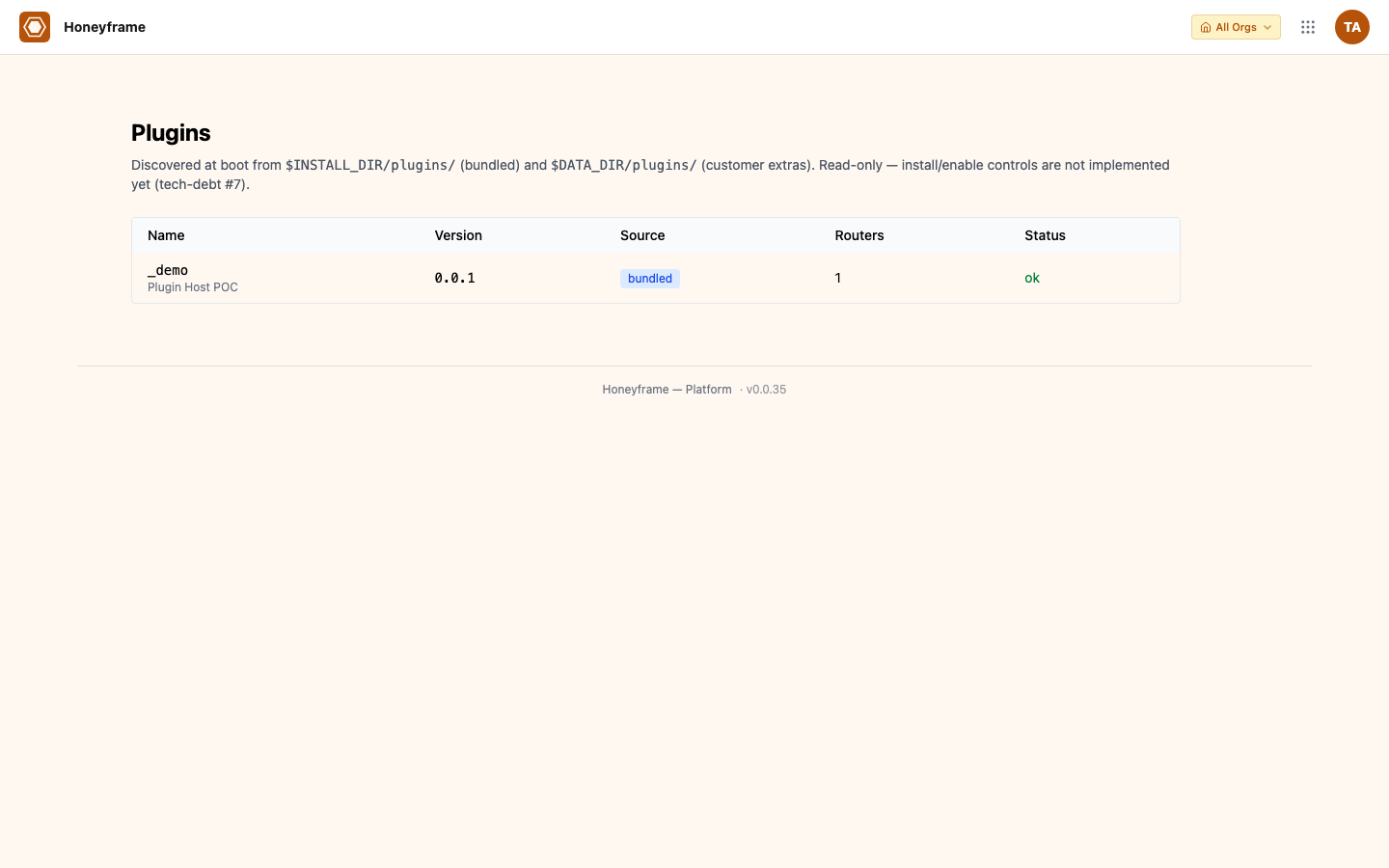
At startup the platform scans both directories, validates each manifest, and logs a one-line summary (journalctl -u hub-platform). On a name collision the bundled (install-dir) package wins — extend by adding new package names, not by shadowing bundled ones. An invalid manifest logs a warning with its validation errors and is skipped; it never blocks startup.
Per-org enablement
A discovered package is off until an org admin enables it for their org:
| Endpoint | Description |
|---|---|
GET /api/plugins | Every discovered package with its validation errors (org admin). |
GET /api/organizations/{org_id}/plugins | The org's enabled packages plus the catalog. |
POST /api/organizations/{org_id}/plugins/{name} | Enable for the org (idempotent). |
DELETE /api/organizations/{org_id}/plugins/{name} | Disable for the org. |
Every enable and disable writes an audit entry (plugin.enabled / plugin.disabled) with the actor, package, and version, so you can reconstruct when a package went live.
Curated custom recipe types (v0.1.8)
A package can contribute custom recipe types under recipe_types. Each binds a recipe-type id to a module:func handler shipped inside the package, plus a parameter schema that drives the Flow palette and form:
recipe_types:
  - type: _demo.rowcount
    display_name: "Demo · Row count"
    description: "Count rows of an input dataset into a 1-row output table."
    handler: plugins._demo.backend.recipes.rowcount:run_rowcount
    params:
      - { key: input_table,  label: "Input dataset (schema.table)", type: string, required: true }
      - { key: output_table, label: "Output table name", type: string, required: false, default: "rowcount" }
The bundled _demo package ships _demo.rowcount as a worked example. GET /api/plugins/recipe-types lists the recipe types of the packages your org has enabled (plus installed-plugin recipe components); it returns [] when none are enabled. A package's recipe types only run for orgs that enabled it.
Frontend overrides
A package can replace a built-in UI block for orgs that enable it. At frontend build time an aggregator collects every package's override declarations into one manifest; the UI asks for an override by key (for example block:KpiCard) and falls back to the built-in component when no package claims the key.
Minimal package
plugins/your-package/
└── plugin.yaml
name: your-package
version: 0.1.0
display_name: Your Package
Discovery sees it, validates it, and lists it on the Plugins admin page; add routers, a dbt workspace, or recipe types as you need them.